 Muneem
Design any bill format
Rename labels, add fields and columns, drag sections into place and write your own formulas. The preview updates as you type.
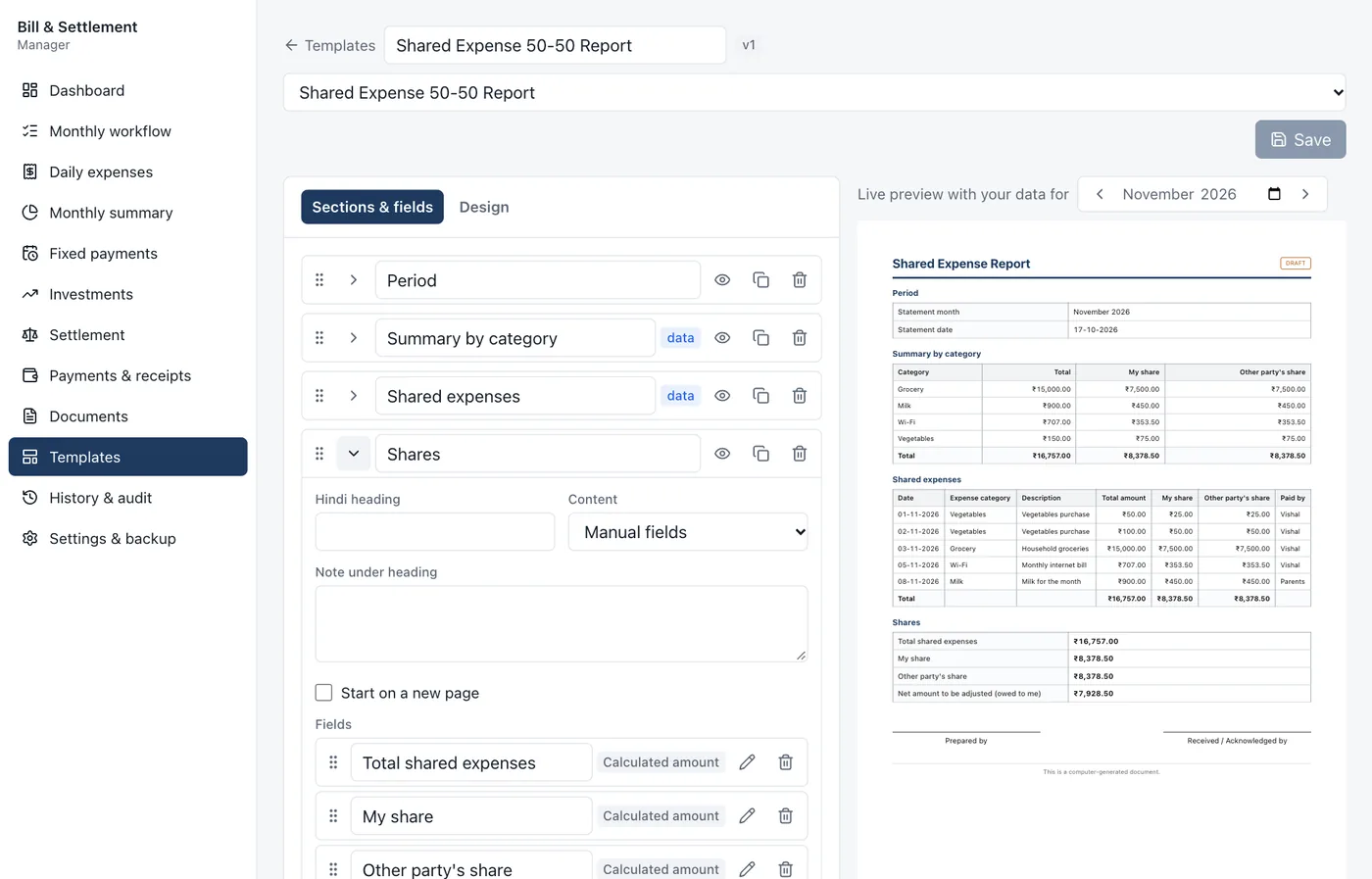
GST invoices, quotations, cash memos and receipts in minutes. Totals, tax and amount in words work themselves out. Start from a ready-made template or design your own.
Features
Everything a shop counter, a wholesaler or a freelancer needs, without the clutter of accounting software.
Rename labels, add fields and columns, drag sections into place and write your own formulas. The preview updates as you type.
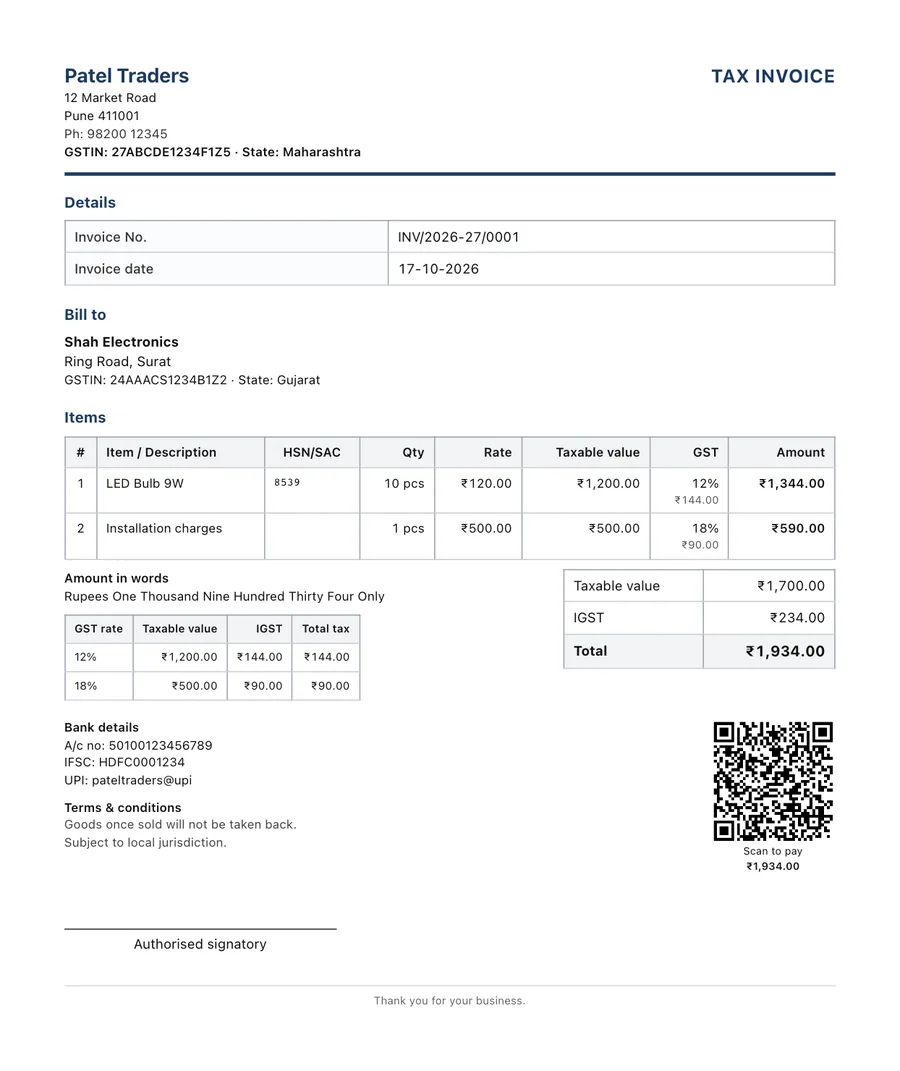
CGST + SGST in your state, IGST outside it. Prices with or without tax, round-off and amount in words.
One click turns an accepted quote into an invoice. Customer and items carry over.
Every bill can carry a scan-to-pay QR with the amount filled in, plus your bank details.
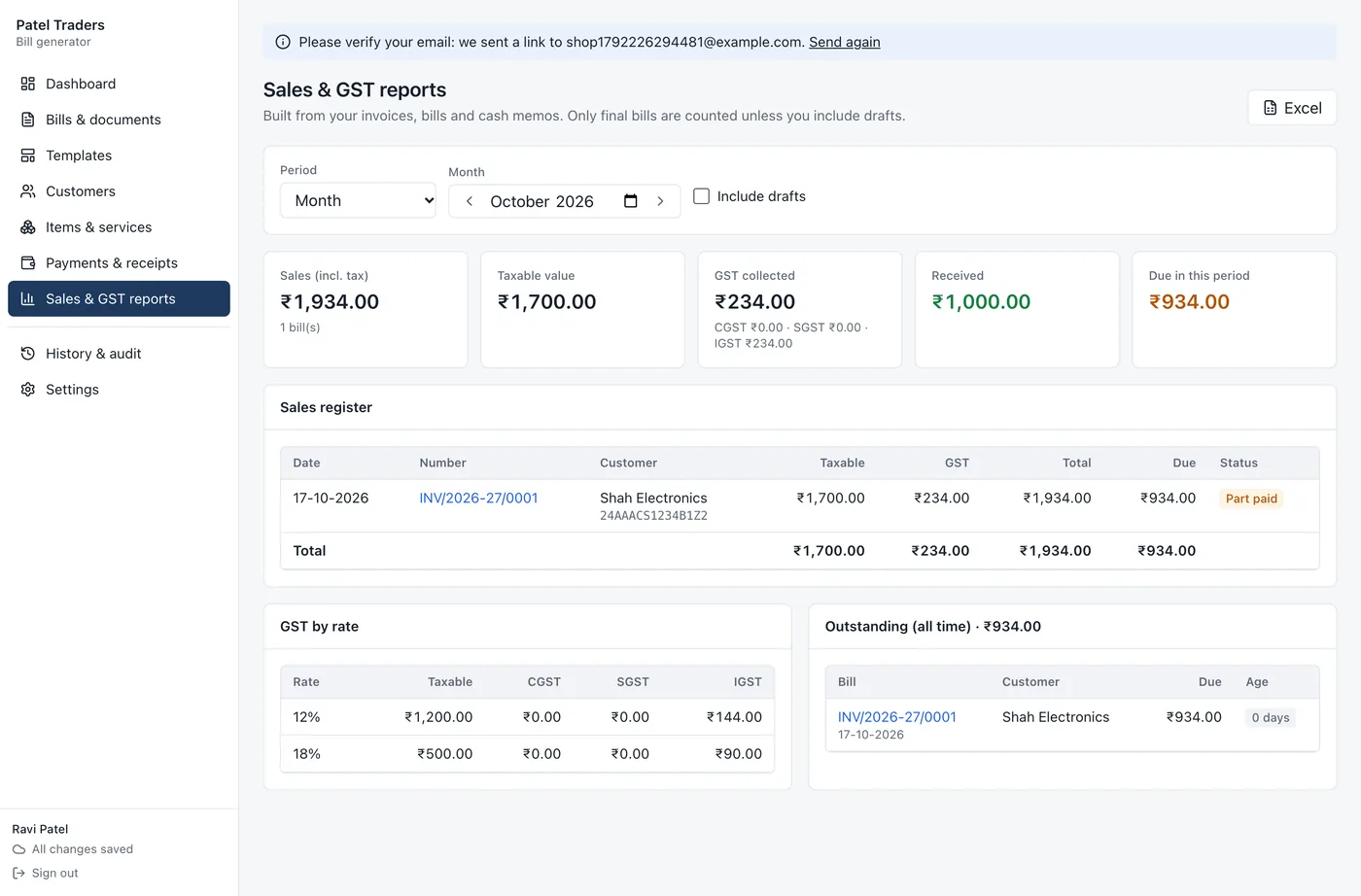
Sales register, GST by rate and outstanding dues, ready for your accountant in Excel.
Save them once. Pick a customer or item and the address, GSTIN, rate and tax fill in.
A series per bill type, like INV/2026-27/0001, restarting each financial year if you want.
Every label can carry a Hindi version, and the PDF shows Devanagari correctly.
A4 PDFs, direct printing, Excel and CSV exports, and a history of every change.
How it works
Add your business name, GSTIN, logo, bank and UPI details. They print on every bill automatically.
Use a ready-made invoice, quotation or receipt, or build your own format with the drag-and-drop builder.
Choose a customer, pick items from your list, and the totals, tax and amount in words work themselves out.
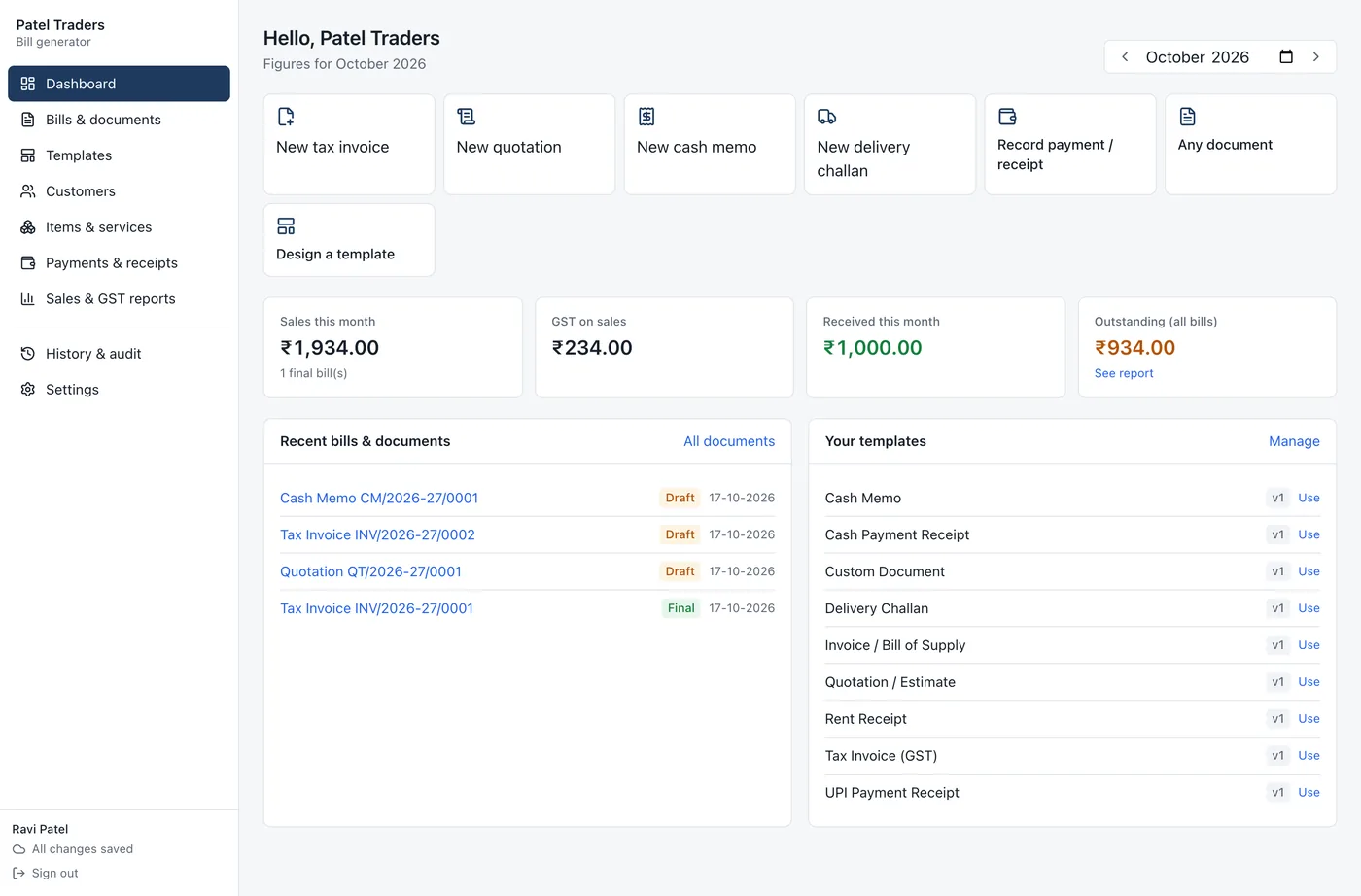
Download the PDF, print it or send it. Record payments as they come in and see what's still due.
Get paid
Record payments against each bill, including part payments, and Muneem keeps the balance. Receipts come only from money actually received.
Who it's for
Quick cash memos with prices that include GST, plus proper tax invoices for business customers.
GST invoices with HSN codes, delivery challans, outstanding tracking and a sales register for your accountant.
Quotations that become invoices, SAC codes, bank details and a UPI QR so clients pay faster.
Rent and payment receipts, plus an optional household module for shared expenses and monthly settlements.
Only you can see or change your bills, customers and files, and data travels over an encrypted connection. Work offline and your changes upload when you reconnect.
FAQ
Still unsure? Create a free account and try it with a real bill. It takes about two minutes.
Yes. Create a free account and use every feature on this page: GST invoices, quotations, receipts, custom templates and reports. No card needed.
Yes. Start from a ready-made template or a blank page, then rename any label, add or remove fields and columns, drag sections into a new order and write your own formulas. Save it, and use it again every time.
Yes. Add your GSTIN and state once. Each line takes HSN/SAC, quantity, rate, discount and GST rate. The app applies CGST + SGST when your customer is in your state and IGST when they aren't, shows a tax summary by rate, rounds the total and writes the amount in words.
In your own private account. Only you can see or change your bills, customers and files, and everything is sent over an encrypted connection. It also works offline and uploads your changes when you're back online.
Yes. Sign in on any device with Google or your email and your bills, customers and templates are there.
Yes. Add your UPI ID in Settings and each bill can carry a QR code with the amount filled in, so the customer scans and pays.
Yes. Every heading and field can have a Hindi label. Print in English, Hindi, or both side by side, and the PDF shows Devanagari correctly.
No. Individuals use it for rent receipts and payment receipts, and families can switch on the household module for daily expenses, 50-50 splits and a monthly settlement statement.
Free account. Ready-made templates. Your own format whenever you want it.